🚚 Free Worldwide Shipping on All Orders!Shop Now


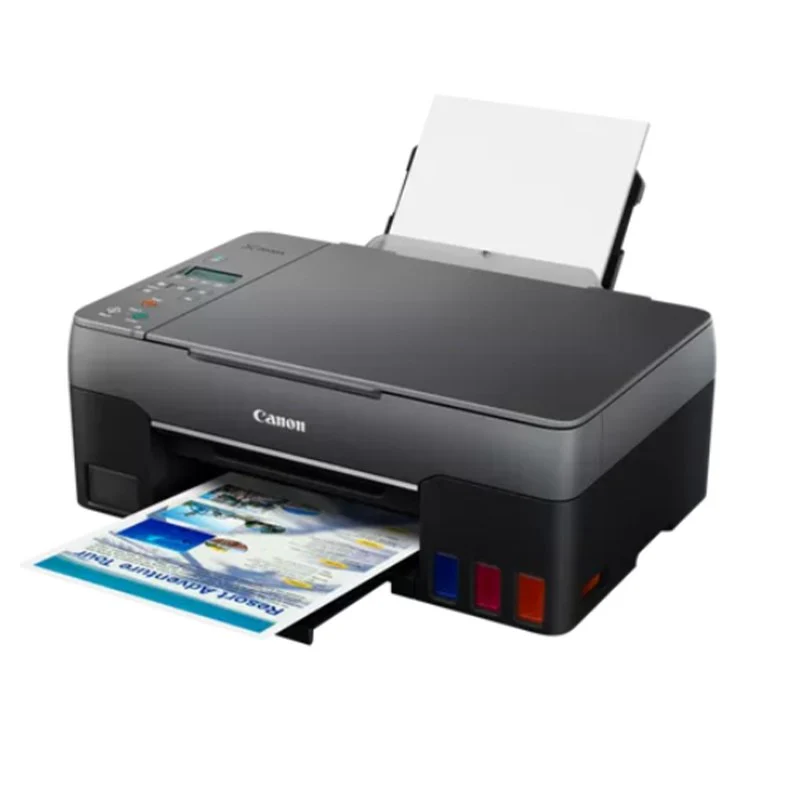
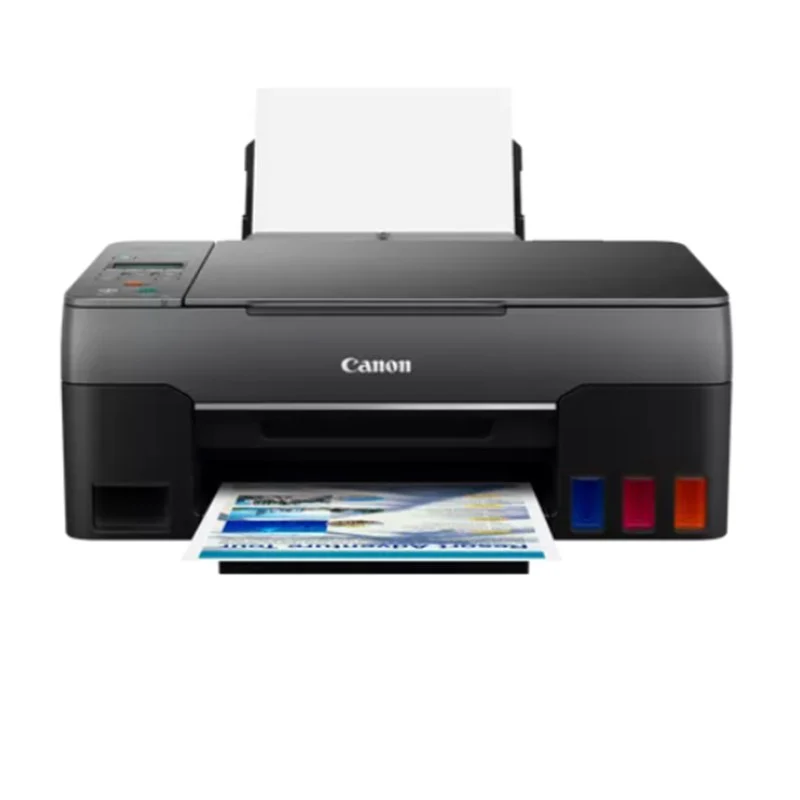
Canon Pixma G3460 Ink Tank All-In-One Printer
Canon Pixma G3460 Ink Tank All-In-One Printer |
Economy Mode for Increased EfficiencyThe Canon Pixma G3460 features an economy mode that reduces black ink usage by adjusting the ink density.This allows users to print 26% more pages than when using the standard mode, offering better cost efficiency for high-volume printing.Initial Setup Ink Bottle Page YieldThe page yield of the ink bottle used during the initial setup is lower compared to the replacement ink bottles.This is because some ink is used to fill the print head during setup, which is factored into the page yield estimates.This means the first batch of prints will yield fewer pages than the replacement ink.Variability in Page YieldCanon's page yield estimates for the G3460 printer are based on their standardized ISO/IEC 24712 test method, using a color chart and continuous printing simulation.However, actual yields can vary widely depending on the content of the prints, such as text versus images, or complex graphics, impacting the ink consumption.Document Print Speed ConsiderationsThe Canon Pixma G3460's document print speeds are based on the ESAT (Word, Excel, PDF) Office Category Test using the default simplex mode, following ISO/IEC 24734 standards.Print speed can vary depending on factors like system configuration, interface, software, print mode, and the type of paper used.High Volume Printing with CreativityDesigned for productive, high-volume printing, the Canon Pixma G3460 offers an efficient, low-cost printing solution.It delivers consistent reliability and impressive quality, allowing users to get creative with various types of media, making it a versatile choice for both professional and personal projects. |
Specification
Print Resolution |
Up to 4800 x 1200 dpi |
Print Technology |
2 FINE Print Head (Black and Colour), Refillable ink tank printer |
Mono Print Speed |
Approx. 10.8 ipm |
Colour Print Speed |
Approx. 6.0 ipm |
Photo Print Speed |
Borderless 10x15cm: Approx. 45 seconds |
Borderless Printing |
Yes |
Paper Sizes Supported |
A4 |
Two Sided Printing |
Manual operation |
Cartridge Yield (Plain Paper) |
Black: 6,000 pages, Colour: 7,700 pages (Economy mode: Black 7,600 pages) |
Cartridge Yield (Photo) |
Colour: 2,200 photos (10x15cm) |
Paper Types Supported |
Plain Paper, Photo Paper Pro Luster, Glossy, Matte, Greeting Cards, Cardstock, etc. |
Maximum Paper Input |
Rear Tray: Max. 100 sheets (plain paper) |
Paper Weight |
Rear Tray: 64 - 105 g/m² (Plain), Canon specialty: max 275 g/m² |
Scanner Type |
CIS flatbed photo and document scanner |
Scanner Resolution (Optical) |
600 x 1200 dpi |
Line Scanning Speed |
Colour: 3.5 ms/line (300dpi), Greyscale: 1.5 ms/line (300dpi) |
Scanning Depth (Input / Output) |
Colour: RGB 16bit/8bit, Greyscale: 16bit/8bit |
Maximum Document Size |
A4/LTR (216 x 297 mm) |
Copy Speed |
sFCOT: Approx. 23 sec, sESAT: Approx. 3.2 ipm |
Multiple Copy |
99 copies (max.) |
Copy Functions |
Document Copying, Photo Copying, Borderless Copy, 2-on-1, 4-on-1, ID Copy |
Copy Zoom |
25 - 400% (in 1% increments) |
Fit to Page |
A5 to A4, B5 to A4, A4 to A5 and A4 to B5 |
Display Type & Size |
Full Dot LCD |
Interface |
Hi-Speed USB, Wi-Fi IEEE802.11 b/g/n/a, Wireless LAN Frequency Band: 2.4 GHz |
Wi-Fi Security |
WPA-PSK, WPA2-PSK, WEP, Administration password |
Wireless Printing Support |
Wireless PictBridge, Canon Print Service Plugin (Android), Apple AirPrint, Mopria |
Software |
Easy-PhotoPrint Editor, PIXMA Cloud Link, Canon PRINT app, Creative Park app, Easy-PhotoPrint Editor app |
Supported Operating Systems |
Windows 10, 8.1, 7 SP1, Windows Server 2008 R2 and newer, macOS 10.12.6 to macOS 11, Chrome OS, iOS, Android |
Mobile Operating Systems |
iOS, Android |
Physical Features - Weight |
Approx. 6.4 kg |
Physical Features - Dimensions (W x D x H) |
Approx. 445 x 330 x 167 mm |
Acoustic Noise Levels |
Approx. 51.0dB(A) |
Operating Temperature |
5-35°C |
Operating Humidity |
10-90% RH (no dew condensation) |
Power Source |
AC 100-240V, 50/60Hz |
Power Consumption |
Off: Approx. 0.2W, Standby: Approx. 0.7W, Copying: Approx. 15W |
Time to Standby Mode |
Approx. 11 min 4 sec |
$45.29
Original: $129.41
-65%Canon Pixma G3460 Ink Tank All-In-One Printer—
$129.41
$45.29Product Information
Product Information
Shipping & Returns
Shipping & Returns
Description
Canon Pixma G3460 Ink Tank All-In-One Printer |
Economy Mode for Increased EfficiencyThe Canon Pixma G3460 features an economy mode that reduces black ink usage by adjusting the ink density.This allows users to print 26% more pages than when using the standard mode, offering better cost efficiency for high-volume printing.Initial Setup Ink Bottle Page YieldThe page yield of the ink bottle used during the initial setup is lower compared to the replacement ink bottles.This is because some ink is used to fill the print head during setup, which is factored into the page yield estimates.This means the first batch of prints will yield fewer pages than the replacement ink.Variability in Page YieldCanon's page yield estimates for the G3460 printer are based on their standardized ISO/IEC 24712 test method, using a color chart and continuous printing simulation.However, actual yields can vary widely depending on the content of the prints, such as text versus images, or complex graphics, impacting the ink consumption.Document Print Speed ConsiderationsThe Canon Pixma G3460's document print speeds are based on the ESAT (Word, Excel, PDF) Office Category Test using the default simplex mode, following ISO/IEC 24734 standards.Print speed can vary depending on factors like system configuration, interface, software, print mode, and the type of paper used.High Volume Printing with CreativityDesigned for productive, high-volume printing, the Canon Pixma G3460 offers an efficient, low-cost printing solution.It delivers consistent reliability and impressive quality, allowing users to get creative with various types of media, making it a versatile choice for both professional and personal projects. |
Specification
Print Resolution |
Up to 4800 x 1200 dpi |
Print Technology |
2 FINE Print Head (Black and Colour), Refillable ink tank printer |
Mono Print Speed |
Approx. 10.8 ipm |
Colour Print Speed |
Approx. 6.0 ipm |
Photo Print Speed |
Borderless 10x15cm: Approx. 45 seconds |
Borderless Printing |
Yes |
Paper Sizes Supported |
A4 |
Two Sided Printing |
Manual operation |
Cartridge Yield (Plain Paper) |
Black: 6,000 pages, Colour: 7,700 pages (Economy mode: Black 7,600 pages) |
Cartridge Yield (Photo) |
Colour: 2,200 photos (10x15cm) |
Paper Types Supported |
Plain Paper, Photo Paper Pro Luster, Glossy, Matte, Greeting Cards, Cardstock, etc. |
Maximum Paper Input |
Rear Tray: Max. 100 sheets (plain paper) |
Paper Weight |
Rear Tray: 64 - 105 g/m² (Plain), Canon specialty: max 275 g/m² |
Scanner Type |
CIS flatbed photo and document scanner |
Scanner Resolution (Optical) |
600 x 1200 dpi |
Line Scanning Speed |
Colour: 3.5 ms/line (300dpi), Greyscale: 1.5 ms/line (300dpi) |
Scanning Depth (Input / Output) |
Colour: RGB 16bit/8bit, Greyscale: 16bit/8bit |
Maximum Document Size |
A4/LTR (216 x 297 mm) |
Copy Speed |
sFCOT: Approx. 23 sec, sESAT: Approx. 3.2 ipm |
Multiple Copy |
99 copies (max.) |
Copy Functions |
Document Copying, Photo Copying, Borderless Copy, 2-on-1, 4-on-1, ID Copy |
Copy Zoom |
25 - 400% (in 1% increments) |
Fit to Page |
A5 to A4, B5 to A4, A4 to A5 and A4 to B5 |
Display Type & Size |
Full Dot LCD |
Interface |
Hi-Speed USB, Wi-Fi IEEE802.11 b/g/n/a, Wireless LAN Frequency Band: 2.4 GHz |
Wi-Fi Security |
WPA-PSK, WPA2-PSK, WEP, Administration password |
Wireless Printing Support |
Wireless PictBridge, Canon Print Service Plugin (Android), Apple AirPrint, Mopria |
Software |
Easy-PhotoPrint Editor, PIXMA Cloud Link, Canon PRINT app, Creative Park app, Easy-PhotoPrint Editor app |
Supported Operating Systems |
Windows 10, 8.1, 7 SP1, Windows Server 2008 R2 and newer, macOS 10.12.6 to macOS 11, Chrome OS, iOS, Android |
Mobile Operating Systems |
iOS, Android |
Physical Features - Weight |
Approx. 6.4 kg |
Physical Features - Dimensions (W x D x H) |
Approx. 445 x 330 x 167 mm |
Acoustic Noise Levels |
Approx. 51.0dB(A) |
Operating Temperature |
5-35°C |
Operating Humidity |
10-90% RH (no dew condensation) |
Power Source |
AC 100-240V, 50/60Hz |
Power Consumption |
Off: Approx. 0.2W, Standby: Approx. 0.7W, Copying: Approx. 15W |
Time to Standby Mode |
Approx. 11 min 4 sec |