🚚 Free Worldwide Shipping on All Orders!Shop Now

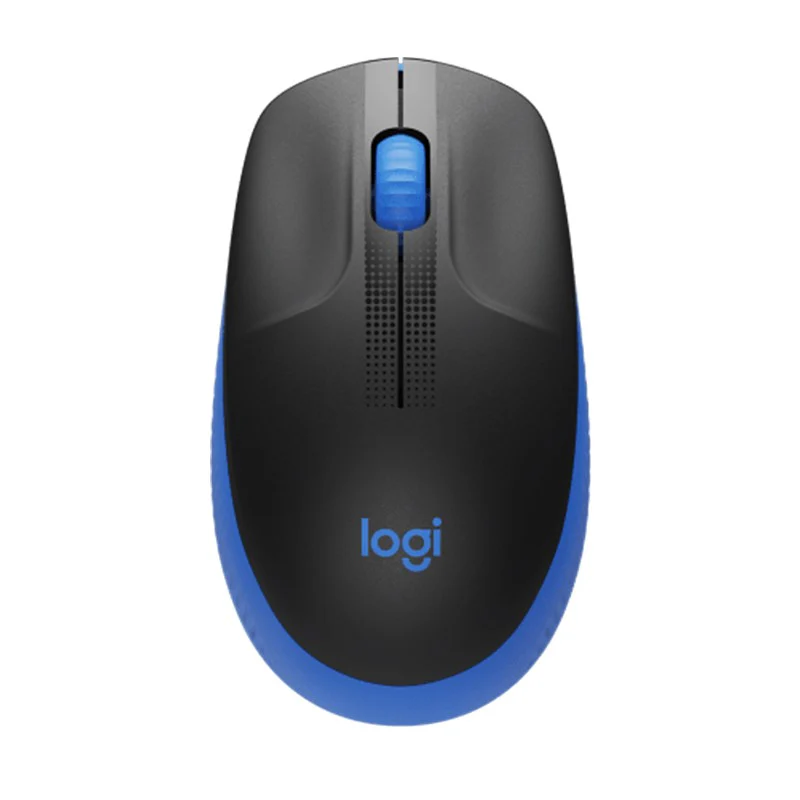


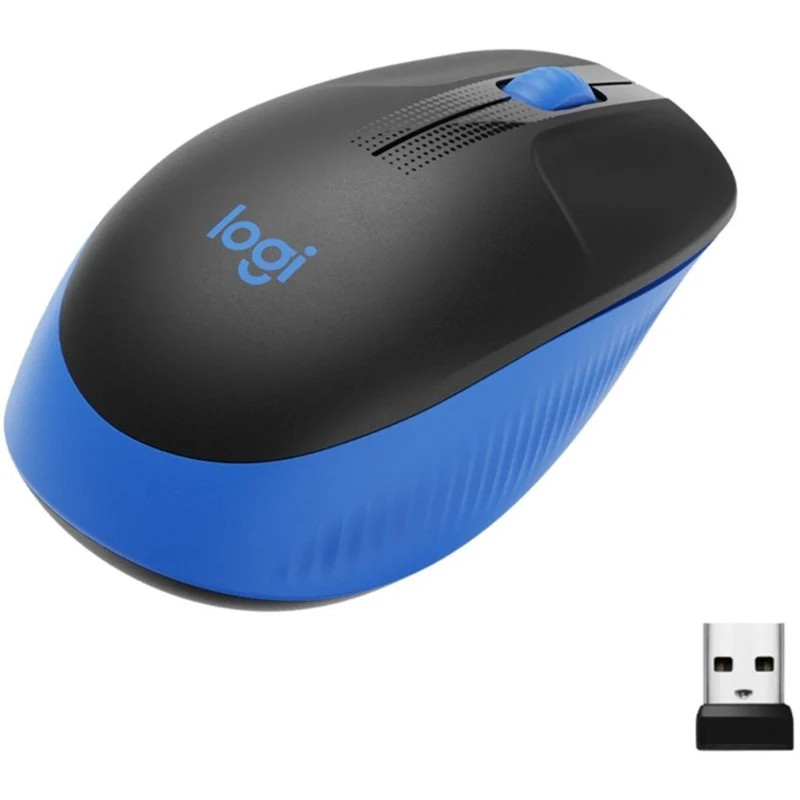
Logitech M190 Full-Size Wireless Mouse - Blue
Logitech M190 Full-Size Wireless Mouse |
FULL-SIZE. FULL COMFORT.Optimal comfort for your right or left hand with a contoured shape designed to follow the natural curve of larger hands. Specially scooped buttons guide your fingers into ideal placement, while additional palm support provides all-day comfort.QUALITY THAT LASTSGet the durability and reliability that comes from the #1 world leader in mice and keyboards. Whether you use M190 with a laptop, desktop, at home or on the go, this is a mouse you can depend on. Get uncompromised quality with all the essentials you need at an affordable price.LAG-FREE WIRELESSWork wirelessly and move freely — from up to 10 M away — with virtually no delays or dropouts. No cable means no clutter on your desk — and easy transport from one workspace to another.PRECISE TRACKING. EFFORTLESS SCROLLING.Navigate more easily thanks to a controlled line-by-line scrolling experience. The optical sensor gives you smooth and accurate cursor control on almost any surface. That means accurate mouse movements with no more annoying missed clicks.18 MONTHS. ONE AA.Enjoy 18 months of worry-free usage. Power-saving mode automatically kicks in when you’re not using the mouse.PLUG & PLAYWorks right out of the box – just plug in the USB receiver and you’re good to go.COMPACT OR FULL-SIZEChoose the right size for you. M190 is specifically contoured for mid to large hands, ideal for use at your desk.What are the benefits of Logitech M190 Mouse ?
|
Specification
Brand |
Logitech |
Technical Specifications |
Sensor technology: Smooth Optical Tracking |
|
|
Sensor resolution: 1000 DPI |
|
|
Number of Buttons: 3 |
|
|
Scroll Wheel: Line-by-Line Precision |
|
|
Unifying ready mouse: No |
|
|
Unifying ready receiver: No |
|
|
Battery: 18 months |
|
|
Wireless technology: Logitech Nano Receiver |
|
|
Wireless operating distance: 10 M |
System Requirements |
Supported OS |
|
|
Windows 10, 11 or later macOS 10.10 or later ChromeOS Linux |
|
|
Interface |
|
|
MAC |
$5.55
Original: $15.85
-65%Logitech M190 Full-Size Wireless Mouse - Blue—
$15.85
$5.55Product Information
Product Information
Shipping & Returns
Shipping & Returns
Description
Logitech M190 Full-Size Wireless Mouse |
FULL-SIZE. FULL COMFORT.Optimal comfort for your right or left hand with a contoured shape designed to follow the natural curve of larger hands. Specially scooped buttons guide your fingers into ideal placement, while additional palm support provides all-day comfort.QUALITY THAT LASTSGet the durability and reliability that comes from the #1 world leader in mice and keyboards. Whether you use M190 with a laptop, desktop, at home or on the go, this is a mouse you can depend on. Get uncompromised quality with all the essentials you need at an affordable price.LAG-FREE WIRELESSWork wirelessly and move freely — from up to 10 M away — with virtually no delays or dropouts. No cable means no clutter on your desk — and easy transport from one workspace to another.PRECISE TRACKING. EFFORTLESS SCROLLING.Navigate more easily thanks to a controlled line-by-line scrolling experience. The optical sensor gives you smooth and accurate cursor control on almost any surface. That means accurate mouse movements with no more annoying missed clicks.18 MONTHS. ONE AA.Enjoy 18 months of worry-free usage. Power-saving mode automatically kicks in when you’re not using the mouse.PLUG & PLAYWorks right out of the box – just plug in the USB receiver and you’re good to go.COMPACT OR FULL-SIZEChoose the right size for you. M190 is specifically contoured for mid to large hands, ideal for use at your desk.What are the benefits of Logitech M190 Mouse ?
|
Specification
Brand |
Logitech |
Technical Specifications |
Sensor technology: Smooth Optical Tracking |
|
|
Sensor resolution: 1000 DPI |
|
|
Number of Buttons: 3 |
|
|
Scroll Wheel: Line-by-Line Precision |
|
|
Unifying ready mouse: No |
|
|
Unifying ready receiver: No |
|
|
Battery: 18 months |
|
|
Wireless technology: Logitech Nano Receiver |
|
|
Wireless operating distance: 10 M |
System Requirements |
Supported OS |
|
|
Windows 10, 11 or later macOS 10.10 or later ChromeOS Linux |
|
|
Interface |
|
|
MAC |