🚚 Free Worldwide Shipping on All Orders!Shop Now
HomeStore

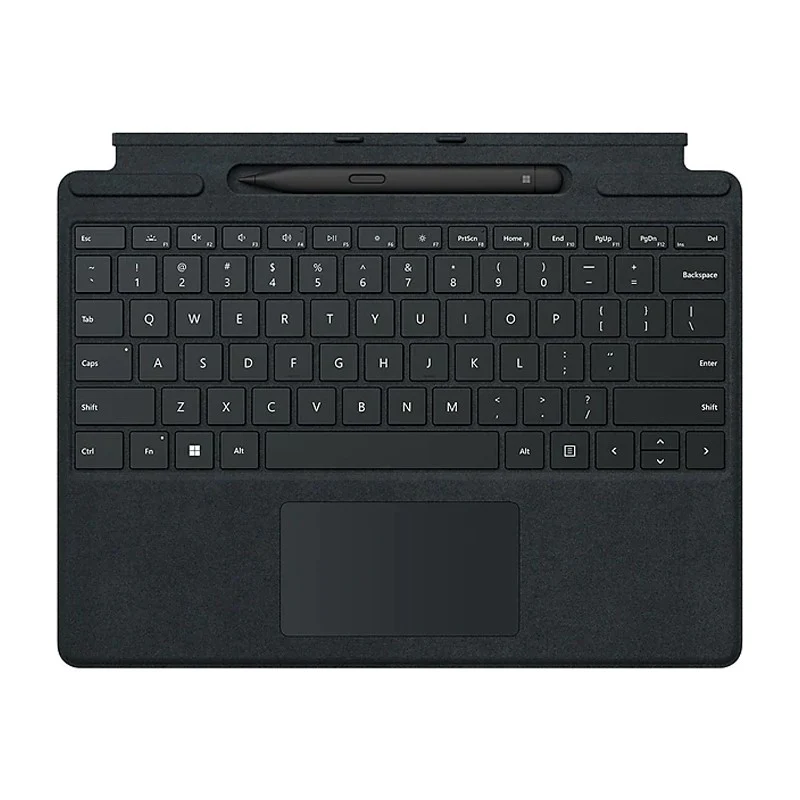
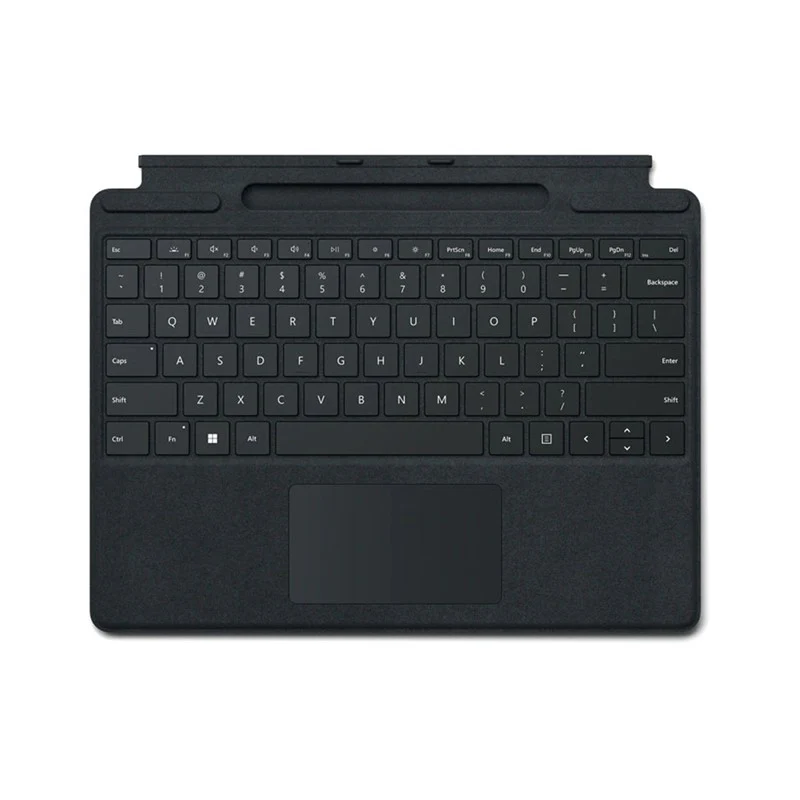
Microsoft Surface Pro Signature Keyboard for Surface Pro 8, Surface Pro 9 & Surface Pro 10 (English Keyboard) - Black

Product image 1
Product image 2
Product image 3
Product image 4

Microsoft Surface Pro Signature Keyboard for Surface Pro 8, Surface Pro 9 & Surface Pro 10 (English Keyboard) - Black

Microsoft Surface Signature Keyboard With Slim Pen for Surface Pro 8 & Surface Pro X and Surface Pro 9, English - Black

Always Ready at Your Fingertips

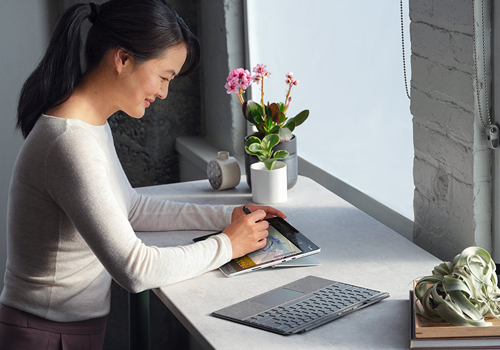
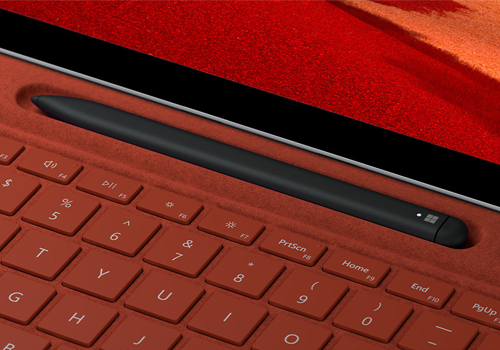
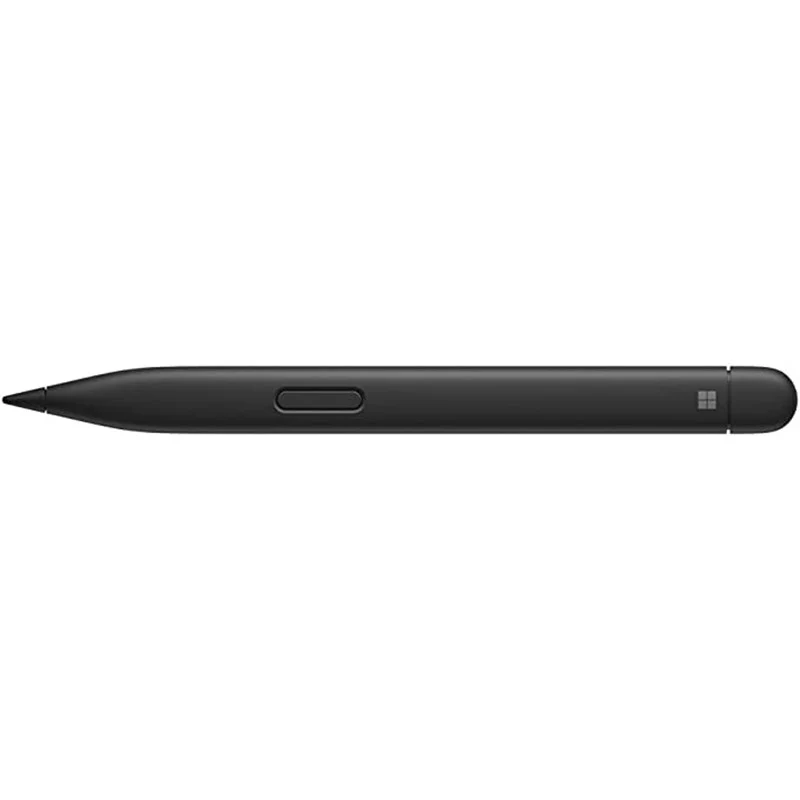
Surface Slim Pen 2 securely sits and recharges in the keyboard’s built-in storage tray. Typing and writing in one, without the bulk, Surface Pro Signature Keyboard delivers fast, accurate typing like a traditional, full-size keyboard, plus natural on-screen writing with our best inking experience yet.

An Exceptional Typing Experience

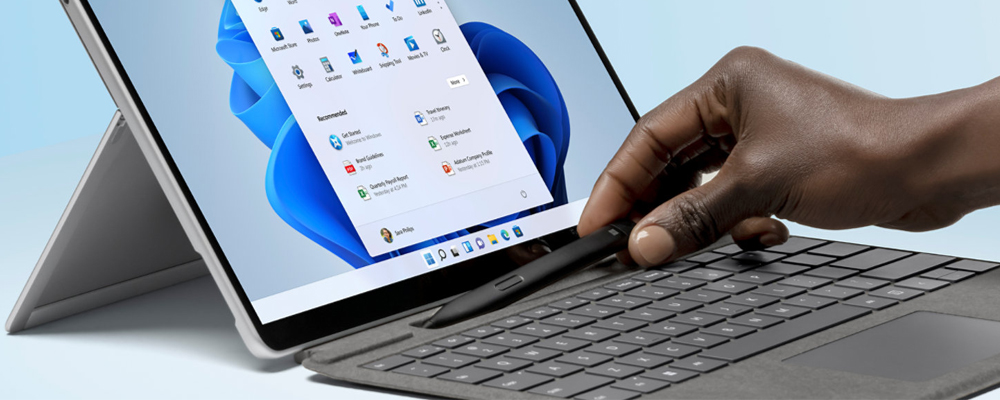
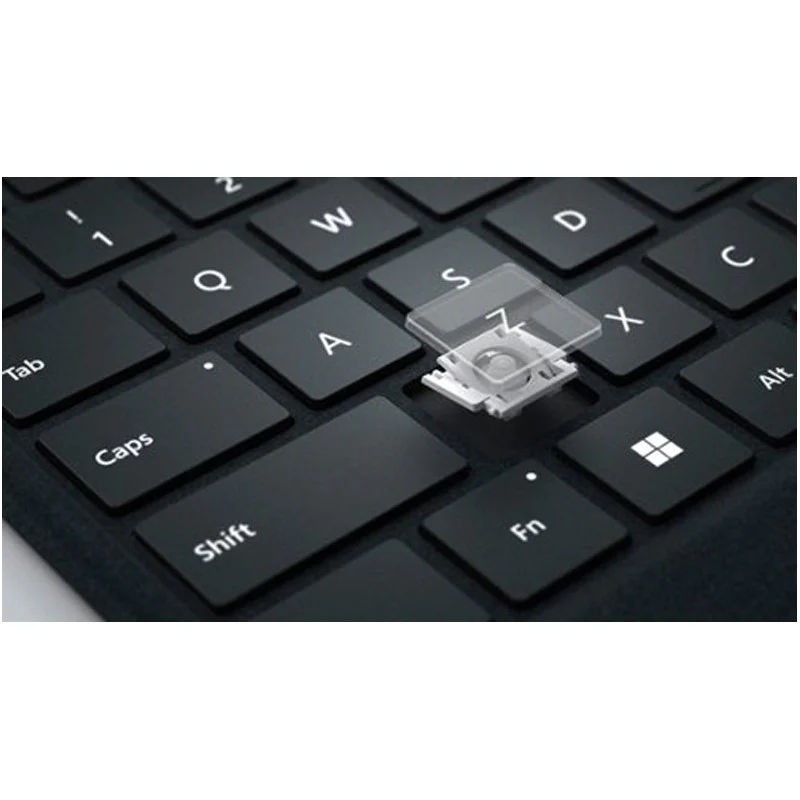
Type in comfort with Surface Pro Signature Keyboard. Sleek and compact, it performs like a traditional laptop keyboard, complete with a large touchpad for precise control and navigation.

Choose Your Color

Available in rich colors, Surface Pro Signature Keyboard adds a warm, comfortable touch to everyday tasks. Covered with luxurious Alcantara material.

Pair With Surface Pro Devices

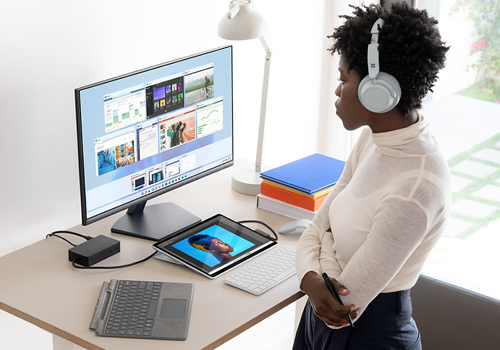
Use Surface Slim Pen 2 across the portfolio of ink-enabled Surface devices, and Surface Pro Signature Keyboard to transform Surface Pro 8, or Surface Pro X, into a complete laptop.

Specification

Compatibility

Surface Pro Signature Keyboard

Surface Pro 8

Surface Pro X

Surface Pro 9

Surface Slim Pen 2

Surface Laptop Studio

Surface Pro 3 - Surface Pro 8

Surface Pro X

Surface Duo, Surface Duo 2

Surface Go, Go 2, Surface Go 3

Surface Hub 2S

Surface Laptop 1 - 4

Surface Studio 1, 2

Surface Book 1 - 3

Surface Slim Pen 2 Tips

Non Surface devices that support Microsoft Pen Protocol (MPP)

Dimensions

Surface Pro Signature Keyboard

11.38” x 8.90” x .19” (289.1 x 226.1 x 4.89 mm)

Surface Slim Pen 2

5.38” x 0.44” x 0.25” (136.8 x 11.3 x 6.3 mm)

Weight

Surface Pro Signature Keyboard with Slim Pen 2

0.65 lbs (294 g)

Surface Pro Signature Keyboard

0.62 lbs (281 g)

Surface Slim Pen 2

0.03 lbs (13 g)

Exterior

Surface Pro Signature Keyboard

Material

Alcantara

Color

Black

Surface Slim Pen 2

Material

Plastic Enclosure

Color

Matte Black

Connections

Surface Slim Pen 2

Bluetooth Wireless 5.0 Technology

Interface

Surface Pro Signature Keyboard

Magnetic

Pen integration

Surface Pro Signature Keyboard

Surface Slim Pen 2 storage and charging

Keys

Surface Pro Signature Keyboard

Activation: Moving (mechanical) keys

Layout: Arabic/English, full row of function keys (F1 - F12)

Dedicated buttons for Windows shortcuts, media controls, screen brightness

Right click button

Sensors

Surface Pro Signature Keyboard

Accelerometer

Buttons

Surface Slim Pen 2

Side button, Top Button with eraser functionality

Tactile signals

Surface Slim Pen 2

Haptic feedback functionality compatible only with Surface Laptop Studio1 and Surface Pro 81 with Windows 11

Pressure and sensitivity

Surface Slim Pen 2

4,096 pressure levels

Zero force inking

Battery

Surface Slim Pen 2

Rechargeable Lithium Ion

Up to 15 hours of typical usage

$89.45

Original: $255.58

-65%
Microsoft Surface Pro Signature Keyboard for Surface Pro 8, Surface Pro 9 & Surface Pro 10 (English Keyboard) - Black—

$255.58

$89.45

Product Information

Shipping & Returns

Description

Microsoft Surface Signature Keyboard With Slim Pen for Surface Pro 8 & Surface Pro X and Surface Pro 9, English - Black

Always Ready at Your Fingertips

Surface Slim Pen 2 securely sits and recharges in the keyboard’s built-in storage tray. Typing and writing in one, without the bulk, Surface Pro Signature Keyboard delivers fast, accurate typing like a traditional, full-size keyboard, plus natural on-screen writing with our best inking experience yet.

An Exceptional Typing Experience

Type in comfort with Surface Pro Signature Keyboard. Sleek and compact, it performs like a traditional laptop keyboard, complete with a large touchpad for precise control and navigation.

Choose Your Color

Available in rich colors, Surface Pro Signature Keyboard adds a warm, comfortable touch to everyday tasks. Covered with luxurious Alcantara material.

Pair With Surface Pro Devices

Use Surface Slim Pen 2 across the portfolio of ink-enabled Surface devices, and Surface Pro Signature Keyboard to transform Surface Pro 8, or Surface Pro X, into a complete laptop.

Specification

Compatibility

Surface Pro Signature Keyboard

Surface Pro 8

Surface Pro X

Surface Pro 9

Surface Slim Pen 2

Surface Laptop Studio

Surface Pro 3 - Surface Pro 8

Surface Pro X

Surface Duo, Surface Duo 2

Surface Go, Go 2, Surface Go 3

Surface Hub 2S

Surface Laptop 1 - 4

Surface Studio 1, 2

Surface Book 1 - 3

Surface Slim Pen 2 Tips

Non Surface devices that support Microsoft Pen Protocol (MPP)

Dimensions

Surface Pro Signature Keyboard

11.38” x 8.90” x .19” (289.1 x 226.1 x 4.89 mm)

Surface Slim Pen 2

5.38” x 0.44” x 0.25” (136.8 x 11.3 x 6.3 mm)

Weight

Surface Pro Signature Keyboard with Slim Pen 2

0.65 lbs (294 g)

Surface Pro Signature Keyboard

0.62 lbs (281 g)

Surface Slim Pen 2

0.03 lbs (13 g)

Exterior

Surface Pro Signature Keyboard

Material

Alcantara

Color

Black

Surface Slim Pen 2

Material

Plastic Enclosure

Color

Matte Black

Connections

Surface Slim Pen 2

Bluetooth Wireless 5.0 Technology

Interface

Surface Pro Signature Keyboard

Magnetic

Pen integration

Surface Pro Signature Keyboard

Surface Slim Pen 2 storage and charging

Keys

Surface Pro Signature Keyboard

Activation: Moving (mechanical) keys

Layout: Arabic/English, full row of function keys (F1 - F12)

Dedicated buttons for Windows shortcuts, media controls, screen brightness

Right click button

Sensors

Surface Pro Signature Keyboard

Accelerometer

Buttons

Surface Slim Pen 2

Side button, Top Button with eraser functionality

Tactile signals

Surface Slim Pen 2

Haptic feedback functionality compatible only with Surface Laptop Studio1 and Surface Pro 81 with Windows 11

Pressure and sensitivity

Surface Slim Pen 2

4,096 pressure levels

Zero force inking

Battery

Surface Slim Pen 2

Rechargeable Lithium Ion

Up to 15 hours of typical usage

Microsoft Surface Pro Signature Keyboard for Surface Pro 8, Surface Pro 9 & Surface Pro 10 (English Keyboard) - Black | Blink